How to Share Your Wedding Invitation on WhatsApp
The fastest way to reach every family member and friend.
Step 1 — Find your invitation link
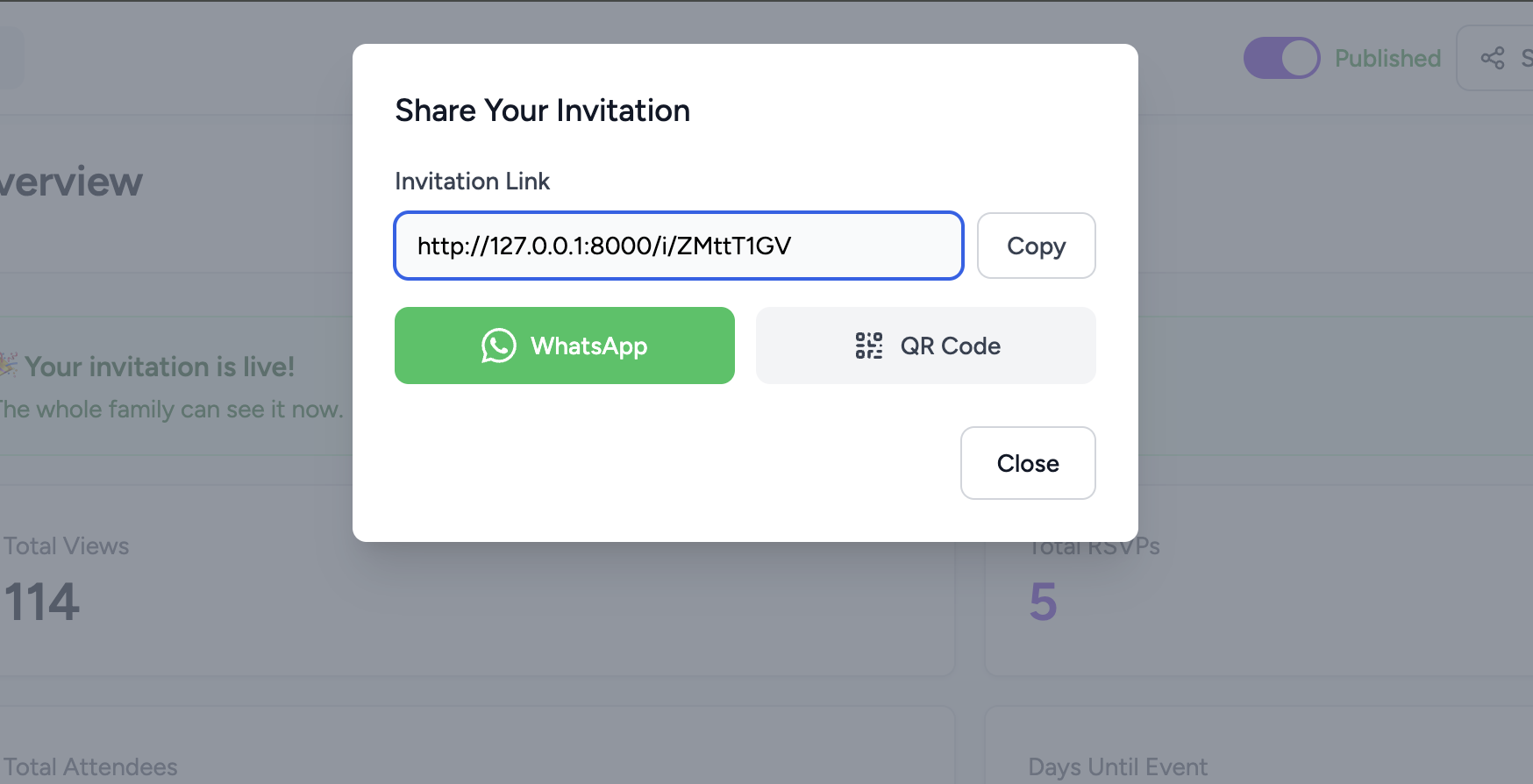
After publishing, go to your invitation's overview page. Click the Share button in the top navigation — a popup shows your unique link and quick-share options. Your link looks like:
https://page2.party/i/aB3xK9pQ
Step 2 — Copy and share
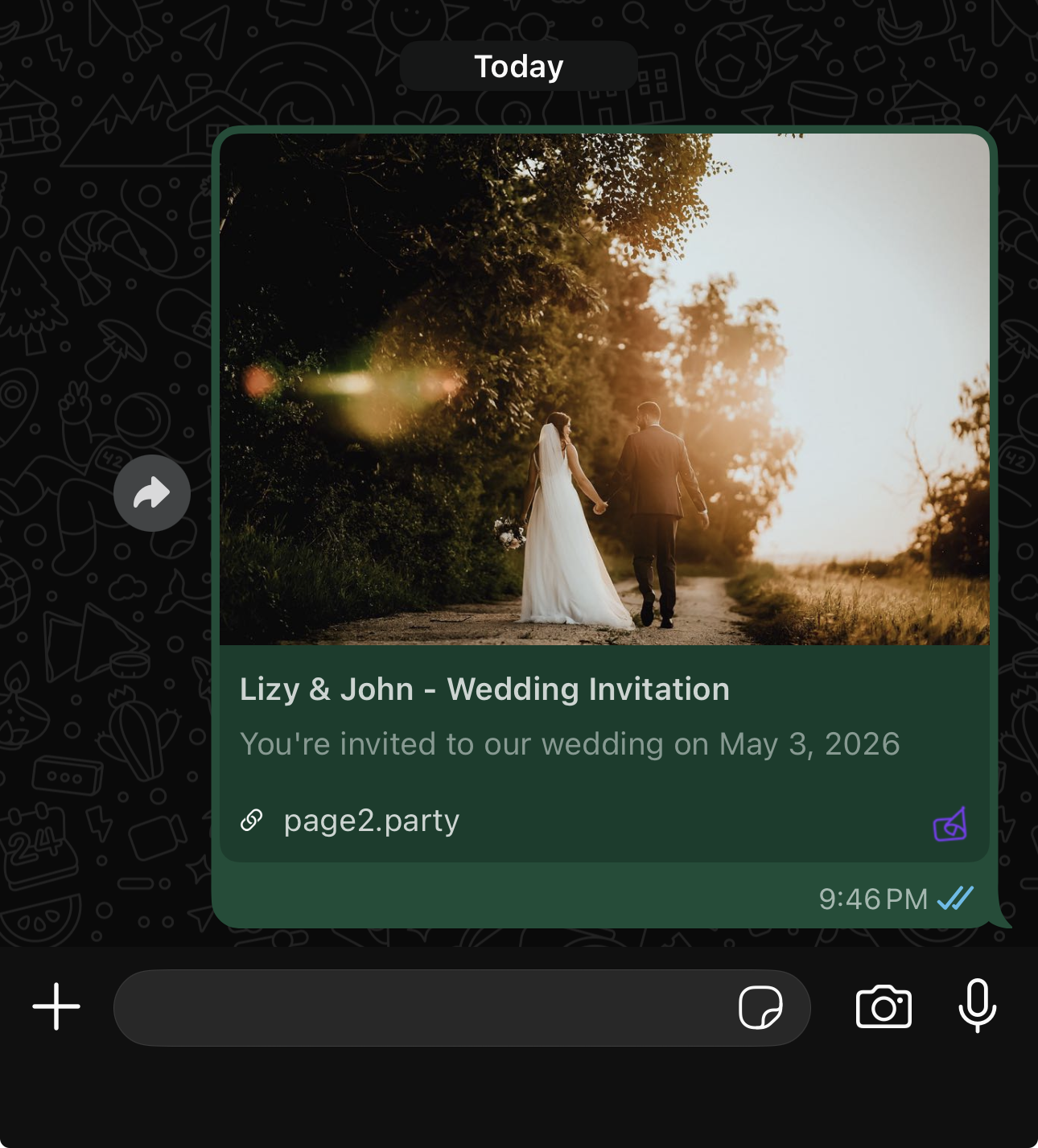
Tap Copy Link in the share popup, then paste it into any WhatsApp chat or group. WhatsApp automatically generates a rich preview showing the couple's names and wedding date — no extra effort needed.
You can also tap the WhatsApp button directly in the share popup — it opens WhatsApp with your link pre-filled.
Suggested message templates
Copy, customise, and paste these into WhatsApp:
English
🎊 We're getting married!
Join us to celebrate the wedding of [Bride's Name] & [Groom's Name] on [Date].
View the full invitation & RSVP here 👇
[Your Page2Party link]
Hindi / English mix
💍 Shaadi ka card aaya!
[Bride's Name] aur [Groom's Name] ki shaadi mein aapko zaroor aana hai. 🙏
Poora invitation yahan dekhein aur RSVP karein 👇
[Your Page2Party link]
For groups (short version)
We joyfully invite you to the wedding of [Bride] & [Groom] 💐
[Your Page2Party link]
QR code for physical cards
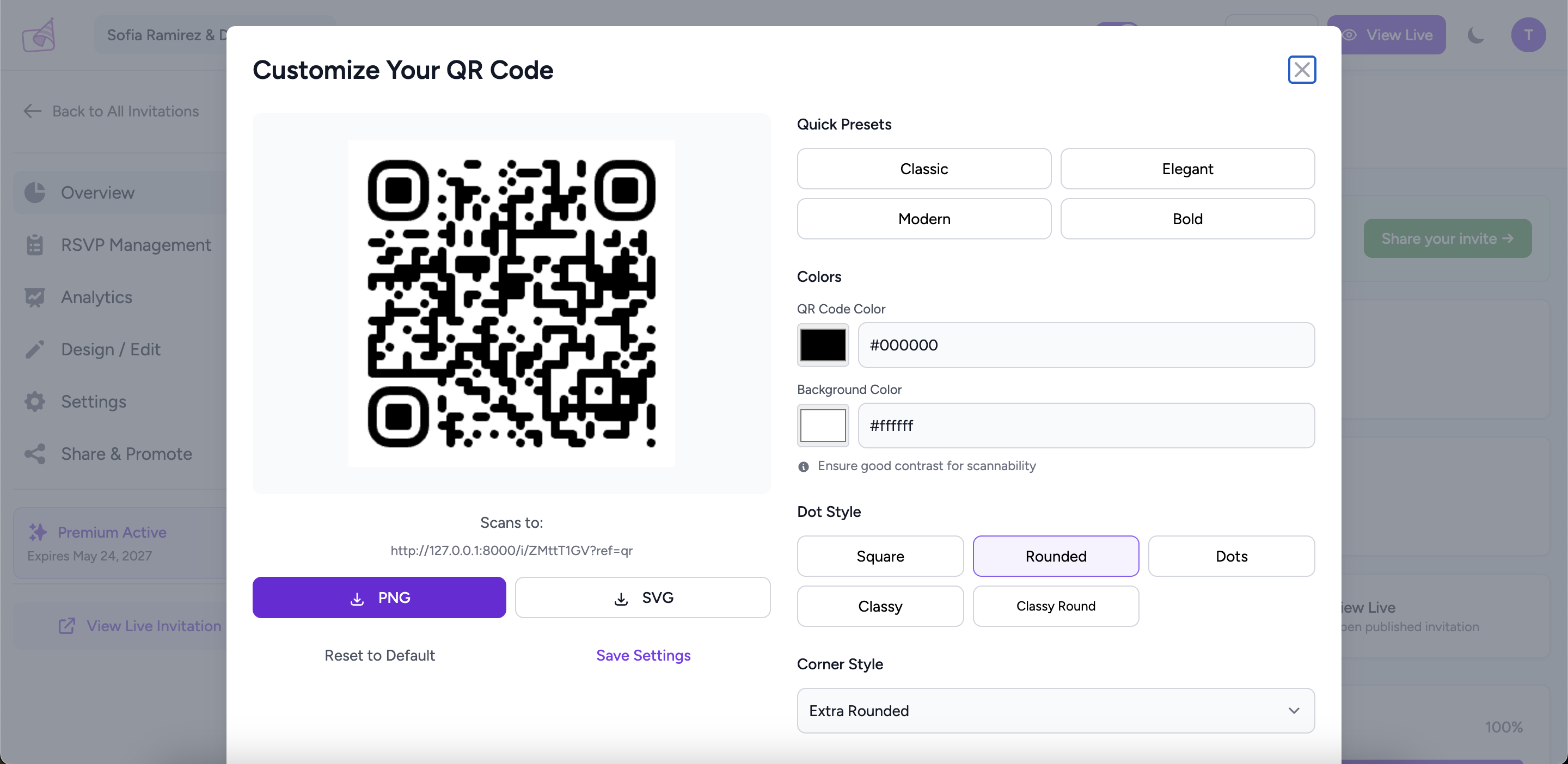
From the Share popup, click QR Code to generate a scannable QR code. Download it and include it on your printed wedding card — guests just point their phone camera and they're on your digital invitation instantly. Great for relatives who aren't on WhatsApp.
Track who's opened it
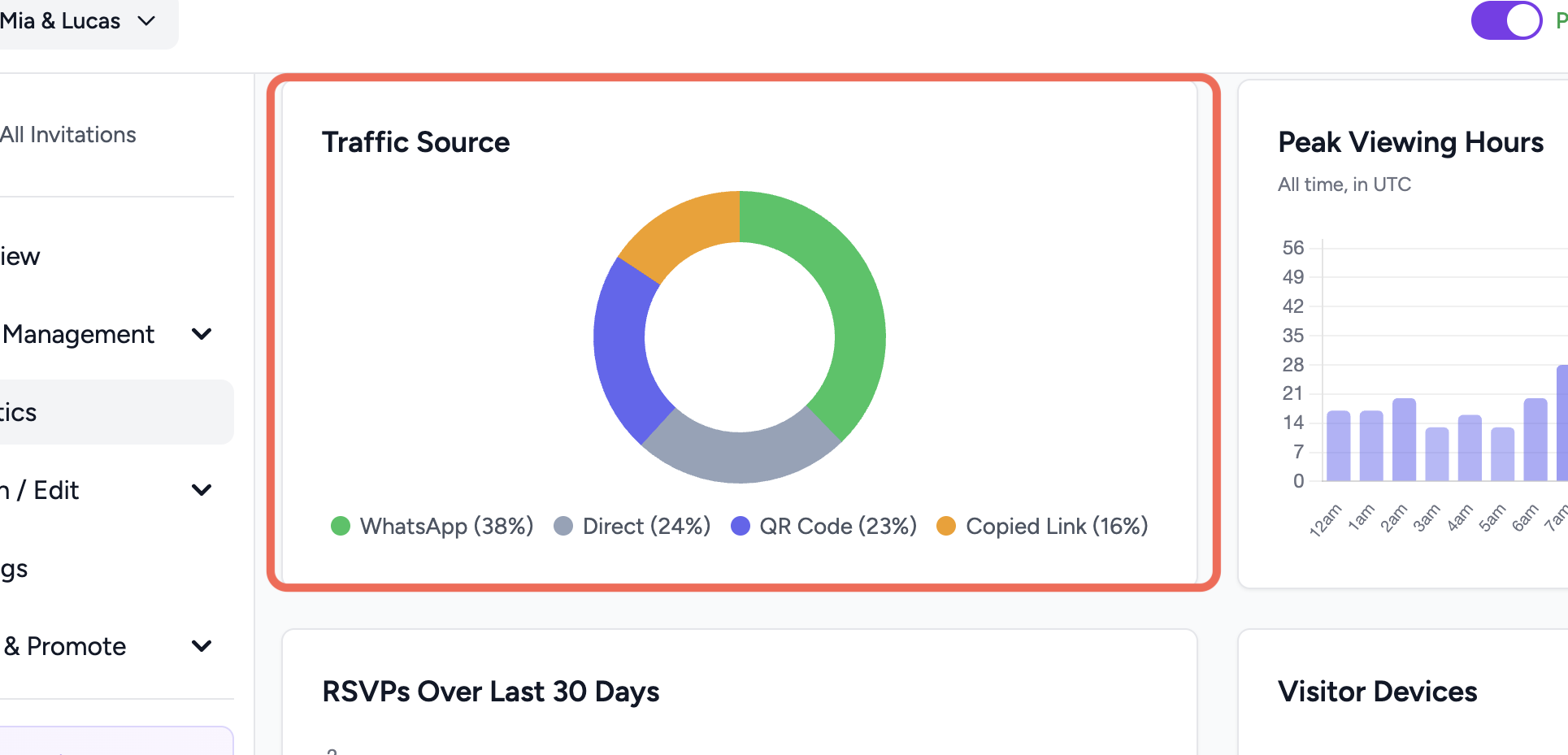
Go to Analytics in your invitation sidebar to see total views, unique visitors, and where your guests are opening the invitation from. You'll know how many people have seen it before the big day.
Haven't created your invitation yet?
Get started free — it takes under 5 minutes.
Create My Invitation →