How to Send Reminders to Your Guests
Set up an automated reminder email that goes out to your RSVPed guests a set number of days before the wedding.
How automated reminders work
When enabled, the system automatically sends a reminder email to every guest who has already RSVPed to your invitation. The email is sent a chosen number of days before your wedding date as a friendly heads-up.
Reminders use the invitation's timezone for scheduling, so make sure your timezone is set correctly first.
Step 1 — Open Settings
Go to your invitation dashboard and click Settings in the left sidebar.
Step 2 — Find Automated Reminder Scheduling
Scroll down to the Automated Reminder Scheduling card. You'll see a toggle and a days-before selector.
Step 3 — Enable automated reminders
Click the toggle next to Enable Automated Reminders to turn it on. It will turn blue when active.
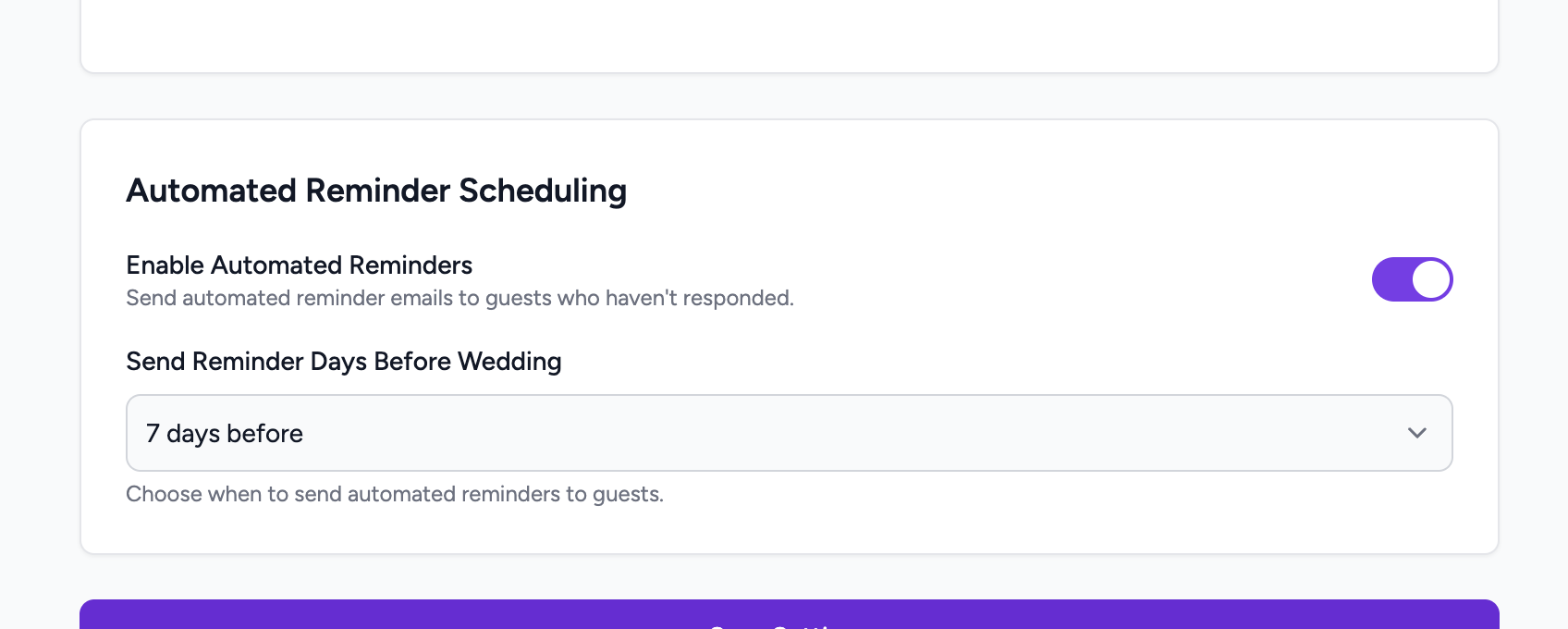
Step 4 — Choose how many days before the wedding
Use the Send Reminder Days Before Wedding dropdown to pick when the reminder goes out. Available options:
For example, choose 7 days and the reminder will go out exactly one week before your wedding date to all guests who have RSVPed.
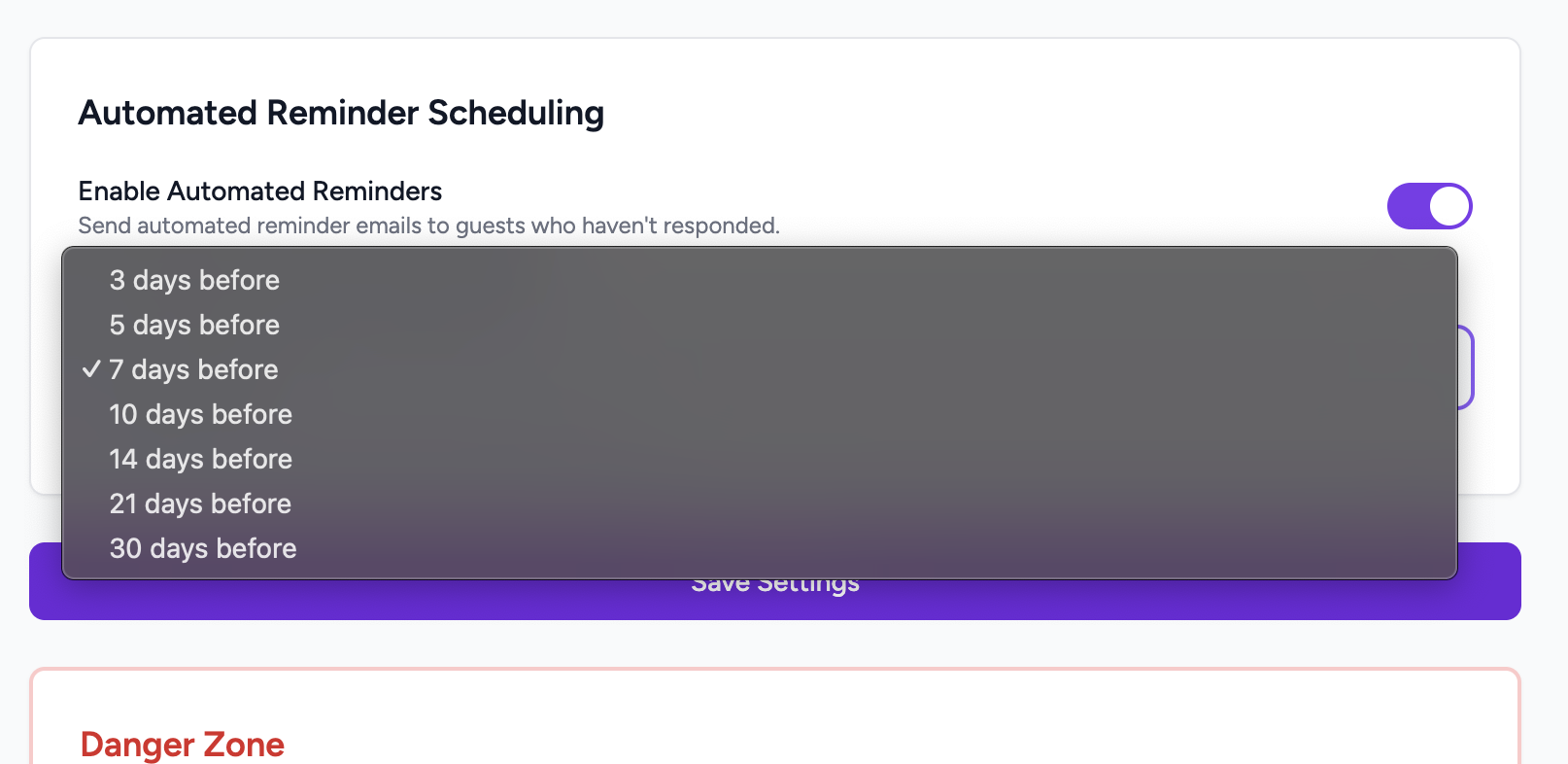
Step 5 — Save Settings
Scroll to the bottom of the Settings page and click Save Settings. The reminder schedule is now active and will trigger automatically on the chosen day.
Want to check who has RSVPed?
See all guest responses and export the list from the RSVP Responses page.
View & Export RSVP Responses →